Removing a license from Sentinel ACC manually
TABLE OF CONTENTS
1. Stop Sentinel ACC
To remove a license , first the Sentinel License Manager service must be stopped, to do so:
For Windows 10
Click the search spyglass or the cortana symbol.
Type in Services and click the Services Desktop app.
2. Find and select Sentinel Local License Manager (or Sentinel LDK License Manager)
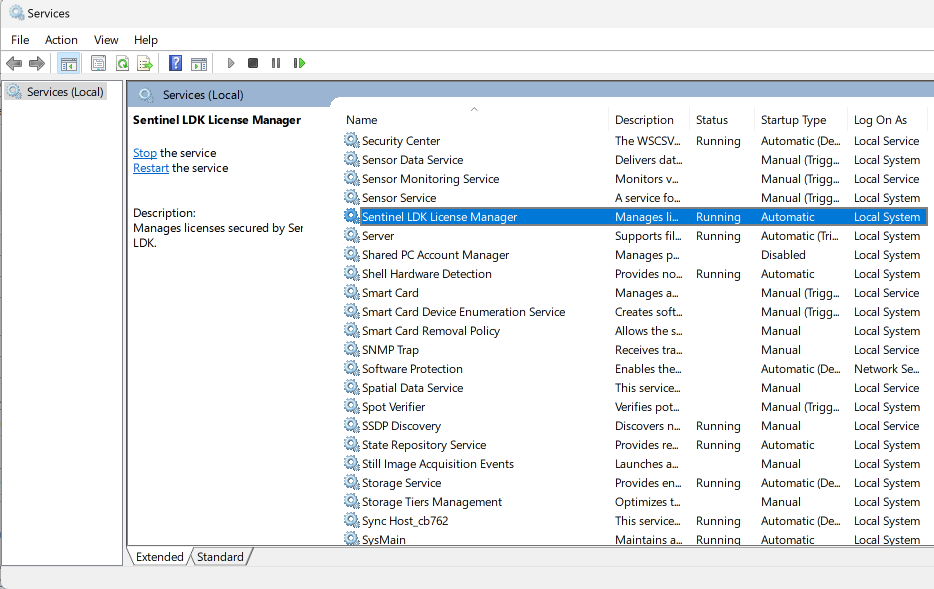
3. To ensure you have the correct service open, confirm the service name is 'hasplms': right click and select properties
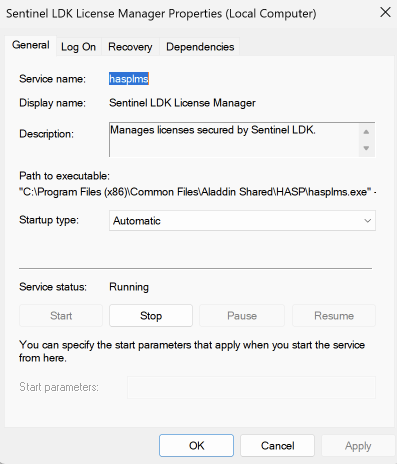
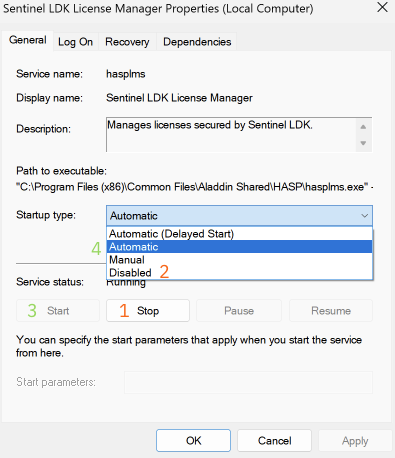
4. Stop the service: push the Stop button, and change the Startup Type to Disabled. (1 + 2)
2. Remove the license
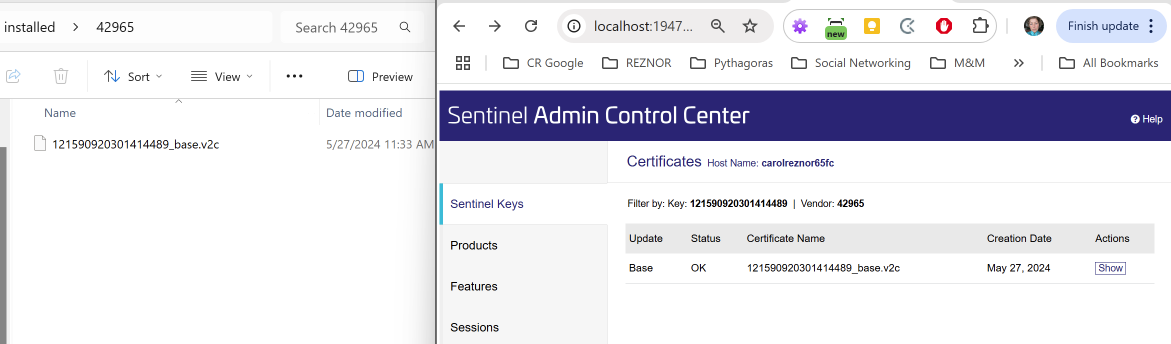
Now that the service is disabled, the license could be removed.
Navigate to:
C:\Program Files (x86)\Common Files\SafeNet Sentinel\Sentinel LDK\installed\42965
Delete only the files (Certificate) starting with they key that has expired.
6- After that re-start the Sentinel License Manager service again. To start the service, push the Start button, and change the Startup Type to Automatic. (3 + 4)
Was this article helpful?
That’s Great!
Thank you for your feedback
Sorry! We couldn't be helpful
Thank you for your feedback
Feedback sent
We appreciate your effort and will try to fix the article