| Calculation | Design | Polyline relative to Path: Fixed Gradient |
Designing polylines with a fixed slope relative to a reference path
When designing road edges, ditches, or trench sides, you often need elements to follow a reference alignment while maintaining a constant slope. Using a fixed gradient, Pythagoras automatically calculates the elevations of one or more polylines based on a reference path.
This method is ideal when the slope is leading, for example when water runoff, safety regulations, or design standards require a constant grade away from a road or trench axis.
Typical use case
Road axis or trench axis as reference path
Ditch, shoulder, or excavation edge that must follow a constant slope
Situations where the slope is predefined (for example drainage requirements)
WORKFLOW
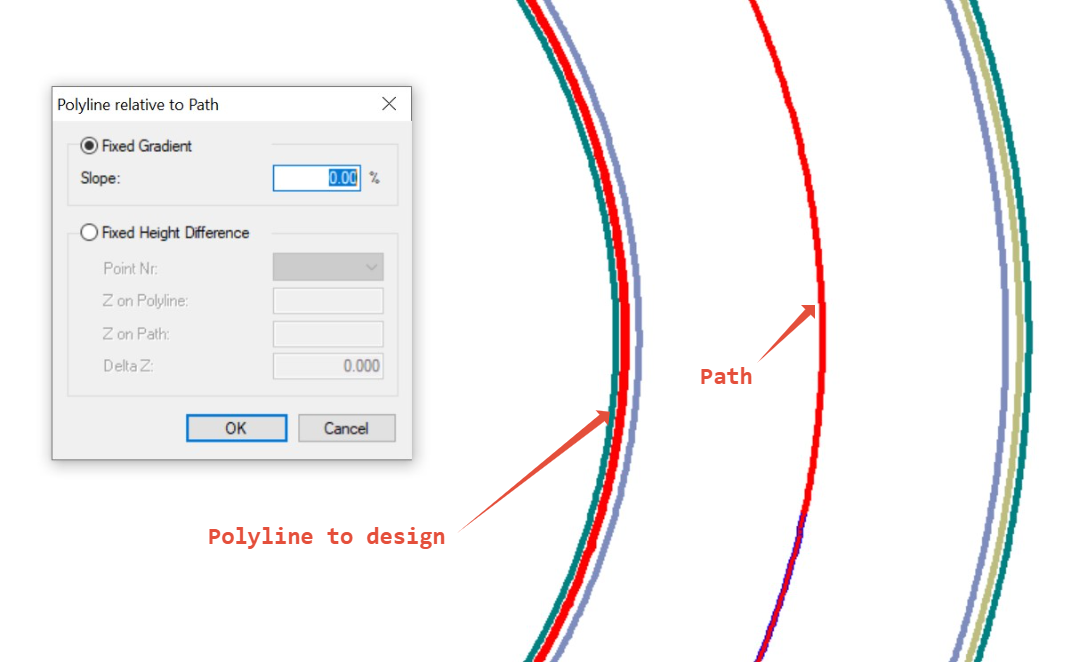
Step 1 - Determine the reference object
This is the 'line' with the valid height (Z) information. It will serve as your vertical reference.
Step 2 – Calculate and draw the design polylines
Determine and draw the polylines that need to be designed relative to the reference. They may be parallel to the reference, but this is not required.
For parallel design lines: select the reference line and use Create parallel object at a specific distance or calculate.
Example: Height difference: 0.20 m, Slope: 2% = > Offset distance = (0.20 / 2) × 100 = 10 m- Verify that the polyline is located on the correct side of the reference.
This/These polyline(s) will be used as the target for the height calculation.
Step 3: Create path on reference object
Make sure the reference line contains valid height (Z) values.
Create a path along this line using Create > Create Path.
Double-click a segment to generate the path along the full reference line.
Step 4: Select reference and target polylines
Select the path (reference object).
Hold Shift and select one or more target polylines.
Go to Calculation > Design > Polyline relative to Path.
or right-click → Edit > Design Polyline relative to Path.
Step 5: Apply a fixed gradient (slope)
In the Polyline relative to Path dialog, choose Fixed gradient.
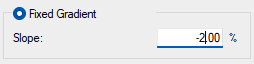
Enter the desired slope value (for example, -2% for a ditch falling away from the road).
Click OK to apply the calculation.
RESULT
Pythagoras recalculates the elevation of every vertex of the selected polylines so they follow the reference path with a constant slope. The result is a consistent vertical design without manual height adjustments.
The target polyline will be calculated vertex by vertex along the full alignment. Review results in 2D and 3D.
This saves you from manual height editing and keeps your design polylines consistent with the reference.
VIDEO
The following video shows how this works:
Was this article helpful?
That’s Great!
Thank you for your feedback
Sorry! We couldn't be helpful
Thank you for your feedback
Feedback sent
We appreciate your effort and will try to fix the article