LOCAL SOFTWARE LICENSE
License cloned
Trigger
Gebruik deze workflow wanneer:
- klant meldt HASP Status 64 -> 64 The protection key could not be found (hasp status 64).
- of ACC de status Cloned toont:
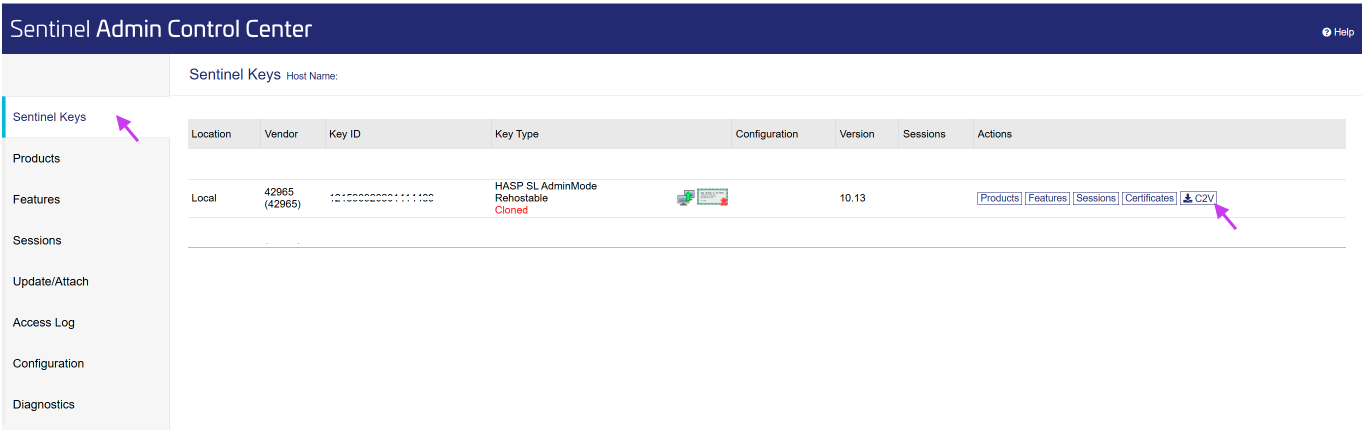
Workflow
STAP 1: Vraag C2V op
TICKET: Verstuur canned response 'Require C2V' 'Require C2V'
PHONE: Download het C2V via AnyDesk Collect C2V
STAP 2: C2V ontvangen
- Ga naar EMS
- Tab Entitlements
- Subtab: Check in c2v
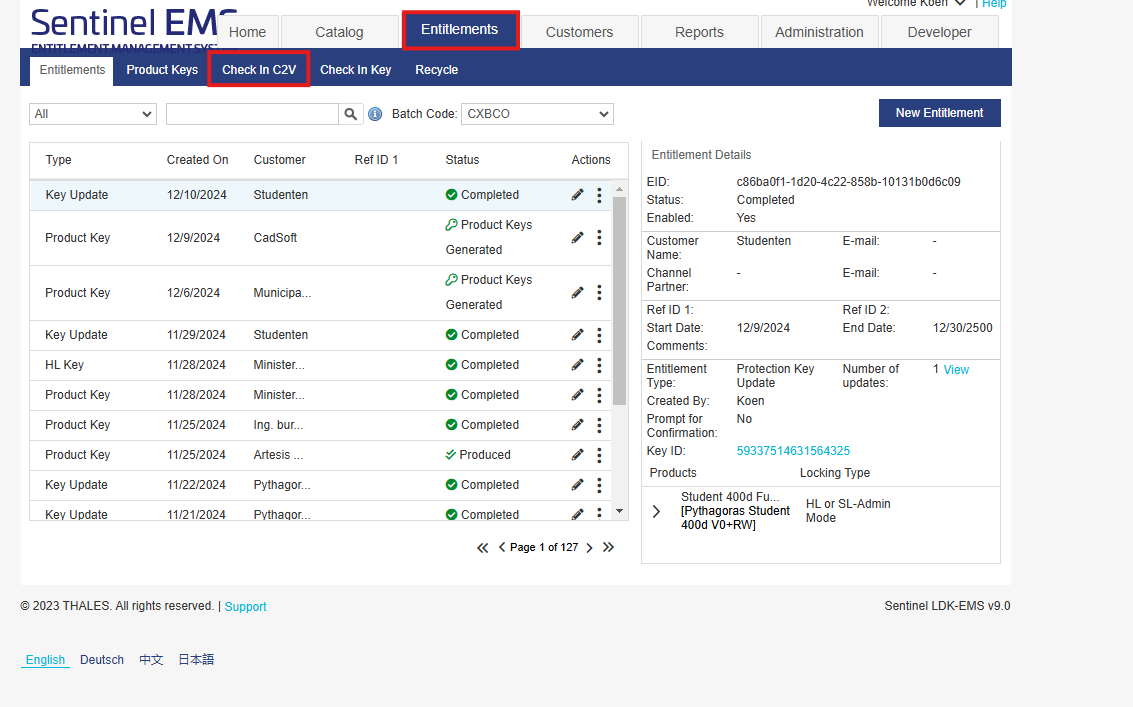
In het venster Check In C2V - Klik Browse en kies het juiste c2v-bestand
- Klik op Check In => Check in not allowed. Cloned Detected!
- Klik op Clear clone. Automatisch wordt V2C gecreëerd en gedownload.
STAP 3: Verstuur V2C
TICKET: stuur dit met instructies naar de client CANNED RESPONSE: Return V2C
PHONE: Pas het V2C onmiddellijk toe via AnyDesk: Apply C2V
Was this article helpful?
That’s Great!
Thank you for your feedback
Sorry! We couldn't be helpful
Thank you for your feedback
Feedback sent
We appreciate your effort and will try to fix the article