1. Go to EMS and login.
2. Tab Entitlements
3. In subnavigation click tab: Product Keys.
4. Search for Product Key or Customer
In the Remaining column it wil show 1.
In the column Actions click ••• and choose Activate
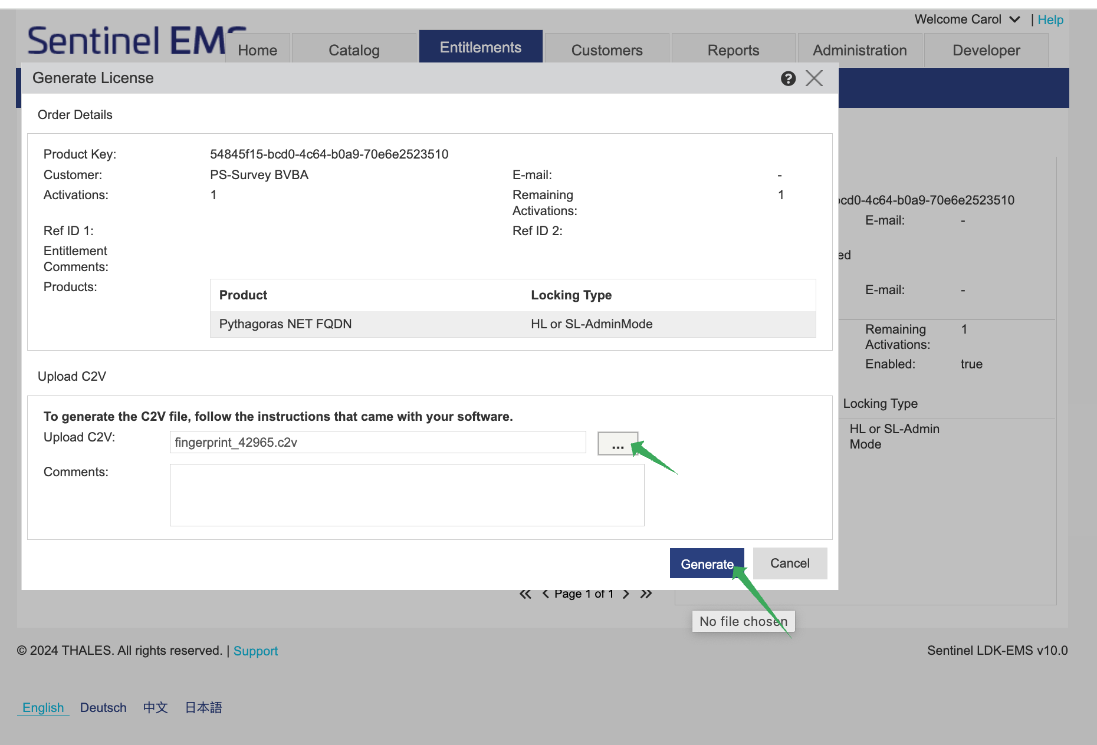
Generate License window opens.
Click ••• next to Upload C2V
Browse and navigate to the C2V file you wish to check-in
then click Open.
Click on Generate
Then click on the cyan link V2C File
Send this file back to the customer using Canned Response: SL 2b: Return V2C
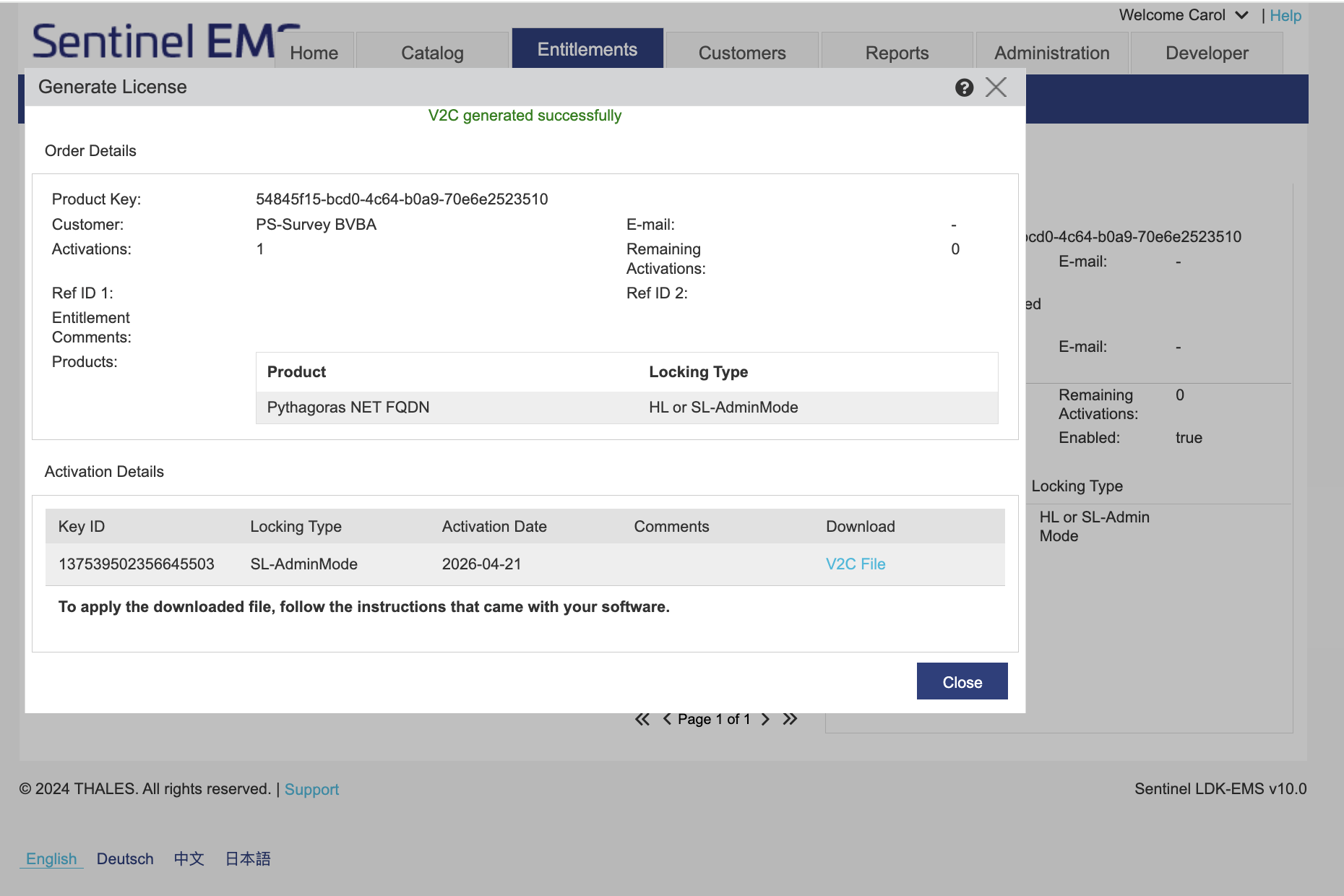
Send this file back to the customer using Canned Response: SL 2b: Return V2C
Was this article helpful?
That’s Great!
Thank you for your feedback
Sorry! We couldn't be helpful
Thank you for your feedback
Feedback sent
We appreciate your effort and will try to fix the article