Applying a view to a sheet
When working with multiple sheets within a single document, you may want to display different information on each sheet, such as existing conditions, proposed conditions or a combination with a background map.
By assigning a view to a sheet, you can apply different display settings to each sheet without modifying the drawing objects themselves.
For more information on creating and managing views, see Working with views.
Procedure
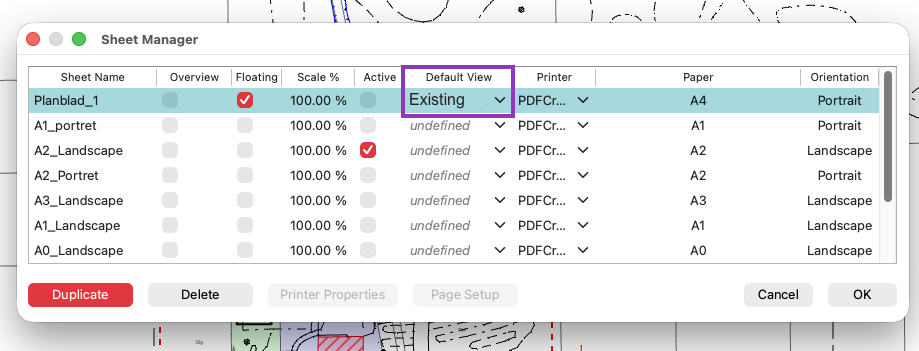
Open Sheet Manager.
Select the desired sheet.
Select the desired view in the Default View column.
Click OK.
RESULT: when you activate the sheet, the drawing is displayed according to the settings of the assigned view.
Was this article helpful?
That’s Great!
Thank you for your feedback
Sorry! We couldn't be helpful
Thank you for your feedback
Feedback sent
We appreciate your effort and will try to fix the article