| Bonus Tools | > | Slope |
Drawing batter slope lines
Batter slope lines are short, evenly spaced lines that indicate the direction and steepness of a sloped surface (batter or talud). They are commonly used in survey, road design, and earthworks drawings to clearly show cut or fill slopes between a top line and a bottom line.
In Pythagoras, batter slope lines are created using a Bonus Tools macro. You first define how the slope lines should look, then generate them automatically between two paths.
Make sure the Bonus Tools macro is installed: How to install macro: Bonus tools
Verify that Bonus Tools is set as the active macro.
STEPS
Define the slope line settings
Go to Bonus Tools > Slope > Set slope parameters.
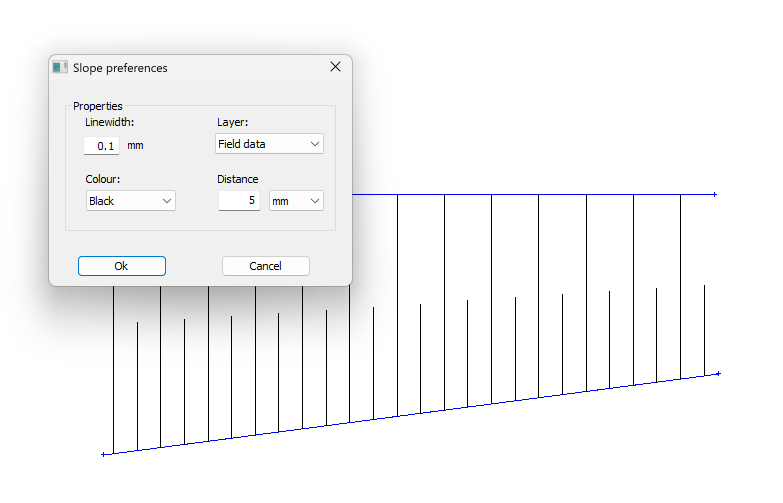
- In the Slope preferencesdialog, define how the batter slope lines should be created:
Linewidth: Sets the thickness of the slope lines.
Colour: Defines the colour used for all slope lines.
Layer: Determines on which layer the slope lines will be placed.
Distance: Sets the spacing between consecutive slope lines, measured along the batter.
- Click OK to confirm.
These parameters determine how all batter slope lines will be created.
Prepare the slope boundaries
Draw a path that represents the bottom line of the batter.
Draw a second path that represents the top line of the batter.
The macro uses these two paths to calculate the slope direction. Both objects must be paths.
Create the batter slope lines
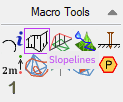
In the Macro tools activate Slopelines.
Click the bottom path first.
Click the top path second.
Pythagoras generates slope lines between the two paths using the defined parameters. You can continue selecting new path pairs, or click in an empty area of the drawing to finish the command.
RESULT
Batter slope lines are added to the drawing between the bottom and top paths. The slope direction and steepness are now clearly visible, making the batter easy to interpret in survey, design, and earthworks plans.
Was this article helpful?
That’s Great!
Thank you for your feedback
Sorry! We couldn't be helpful
Thank you for your feedback
Feedback sent
We appreciate your effort and will try to fix the article