LOCAL SOFTWARE LICENSE
Apply C2V
Use this procedure to apply a V2C file provided by Pythagoras Support to your local software license.
In Pythagoras
Start Pythagoras
In the Licensing window go to the tab Apply V2C.
Click Apply Update.
Select the V2C file provided by Pythagoras Support.
When the update is applied successfully, the message V2C file was loaded successfully! appears.
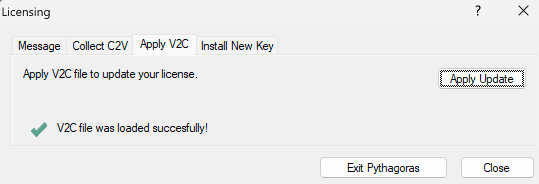
Click Exit Pythagoras or Close.
Start Pythagoras again and verify that the expected license is available.
If Pythagoras is not running
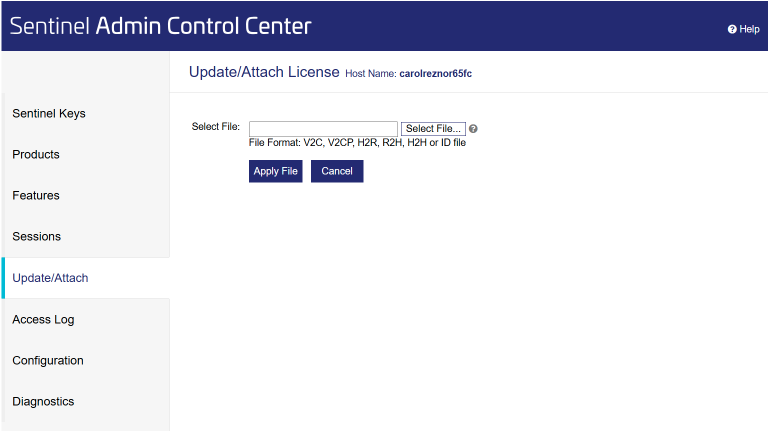
Open a browser and go to the Sentinel Admin Control Center :
http://localhost:1947.- In the left menu, click on Update/Attach.
- Select the V2C file provided by Pythagoras Support.
- Click Apply File.
- After the update has been applied successfully, start Pythagoras again.
Was this article helpful?
That’s Great!
Thank you for your feedback
Sorry! We couldn't be helpful
Thank you for your feedback
Feedback sent
We appreciate your effort and will try to fix the article