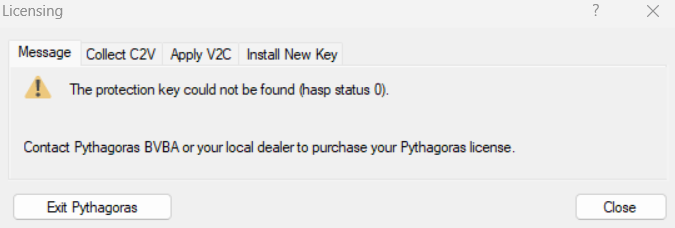
The protection key could not be found (hasp status 0).
When you see this error message when starting Pythagoras, it usually means that the Sentinel License Service on your computer is not running. As a result, Pythagoras cannot find the license — even though status code 0 normally indicates there’s no technical error.
The good news: this is easy to fix.
SOLUTION
Step 1: Restart the Sentinel service
Go to: -> Sentinel License Manager (hasplms service)
Step 2: Check if the license portal is working
Go to: -> Sentinel Admin Control Center
Step 3: Restart Pythagoras
After completing these steps, the error message should no longer appear, and Pythagoras should launch as expected.
Still having issues?
Check whether your antivirus or firewall is blocking the service or port 1947
Restart your computer and try again
Still not working? Contact our support team — we’re happy to help. If needed, we can assist you via AnyDesk. Need help?
Was this article helpful?
That’s Great!
Thank you for your feedback
Sorry! We couldn't be helpful
Thank you for your feedback
Feedback sent
We appreciate your effort and will try to fix the article