| Bonus Tools | > | Draw |
Generating a Coordinate Frame Along a Polygon Edge
The 'Create grid border' function allows you to automatically generate coordinate points (grid points) along the edge of a polygon. This is especially useful on a layout sheet to place a clear coordinate frame around your project area.
Make sure the Bonus Tools macro is installed: How to install macro: Bonus tools
Verify that Bonus Tools is set as the active macro.
STEPS
Set the drawing to non-floating
Make sure your drawing is non-floating so you can see where the layout frame will be placed. Adjust the layout if needed before continuing (Sheet settings & Page Setup).
Draw the polygon
Draw a closed polygon exactly where the coordinate frame should appear. The coordinate points will be placed directly on the edge of this polygon.
Note: Do not draw this polygon on the 'Page CS' layer.
Activate the macro Bonus tools
Go to Bonus Tools > Draw > Create grid border.
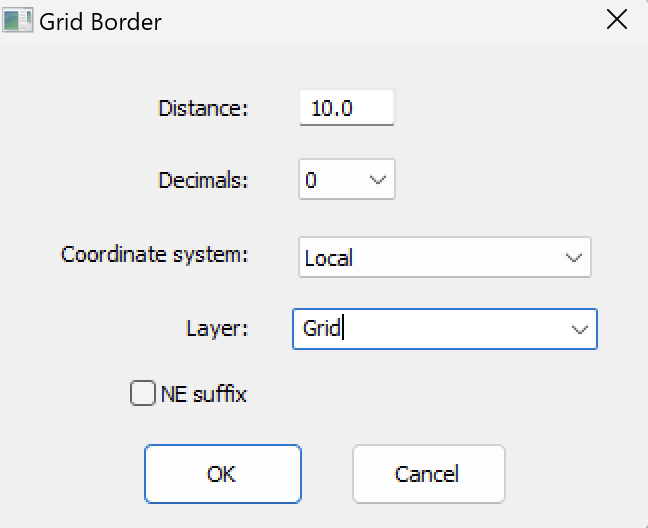
Set the parameters
In the dialog box, configure the following options:
Length: distance between consecutive grid points along the edge
Number of decimals: number of digits after the decimal point in the coordinates
Coordinate system: is what is active in the drawing
Layer: the layer where points and annotations will be placed
NE suffix option: adds 'N' (northing) and 'E' (easting) to the coordinate text
Click OK
Pythagoras will now automatically place points along the polygon edge, spaced according to the chosen length. Each point will receive a text object showing its coordinates.
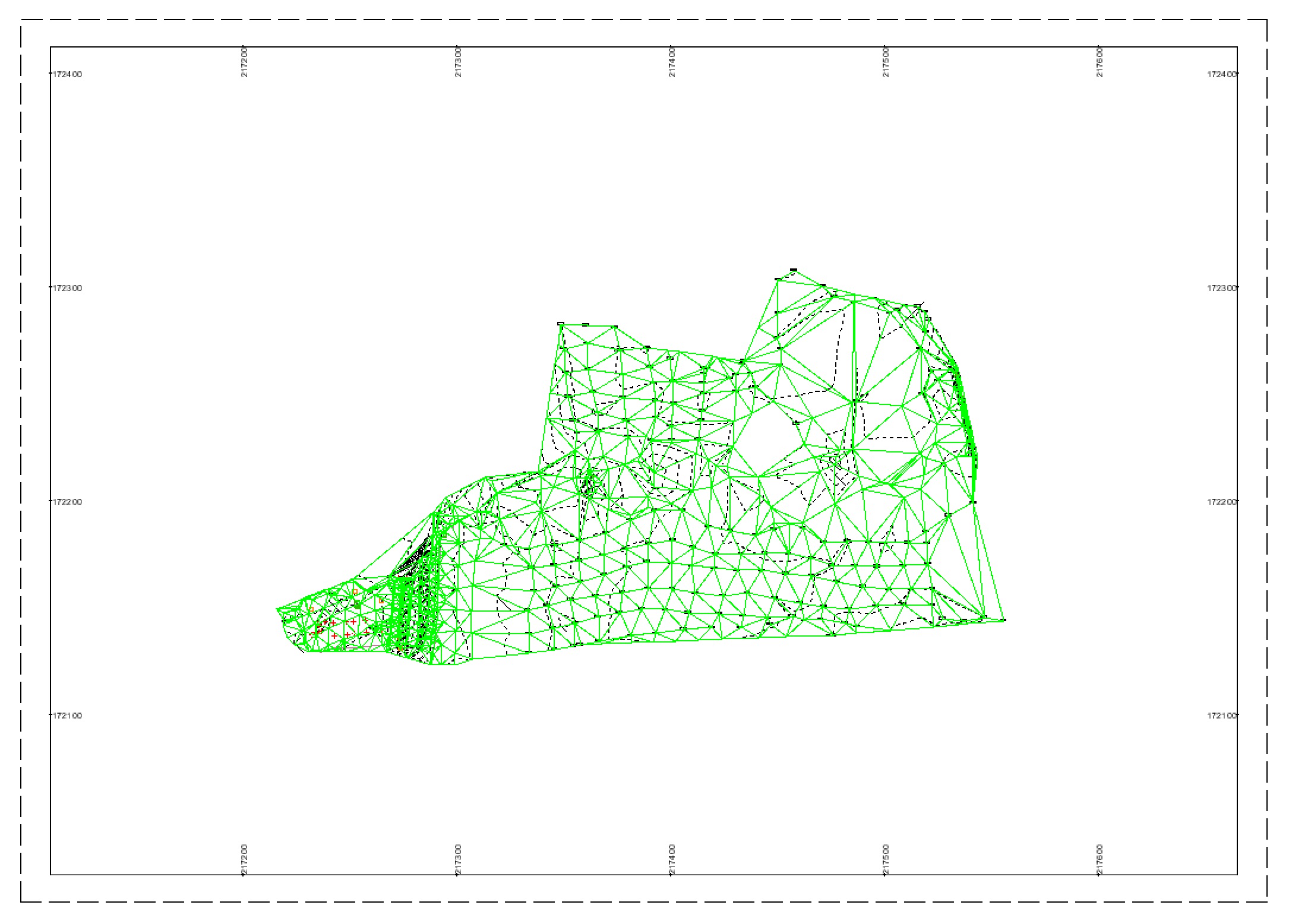
RESULT
Points are evenly distributed along the polygon edge
Coordinates are displayed as text with the selected number of decimals
Everything is placed on the specified layer
Was this article helpful?
That’s Great!
Thank you for your feedback
Sorry! We couldn't be helpful
Thank you for your feedback
Feedback sent
We appreciate your effort and will try to fix the article