Could not generate license because: Enforcement type is incompatible.
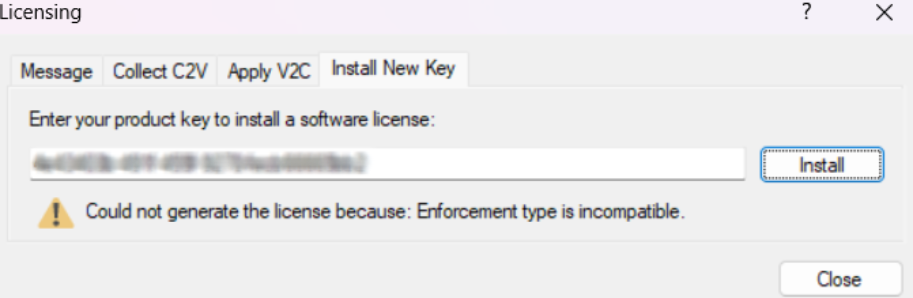
The "enforcement type" error is caused when a certain component of the licensing system was not installed properly on your computer.
SOLUTION
Download and Install the Latest License Manager
- Go to the webpage: Pythagoras Driver.
- Click on the Download link next to Sentinel HASP driver.
- Run the HASPUserSetup.exe file.
You will need administrator rights and might have to temporarily stop any anti-virus programs that you have.
Once the new license manager has been installed, try activating the license again.
Was this article helpful?
That’s Great!
Thank you for your feedback
Sorry! We couldn't be helpful
Thank you for your feedback
Feedback sent
We appreciate your effort and will try to fix the article