Divide a polygon into two areas using a parallel line
Menu: Bonus Tools > Polygon tools > Create polygon by target
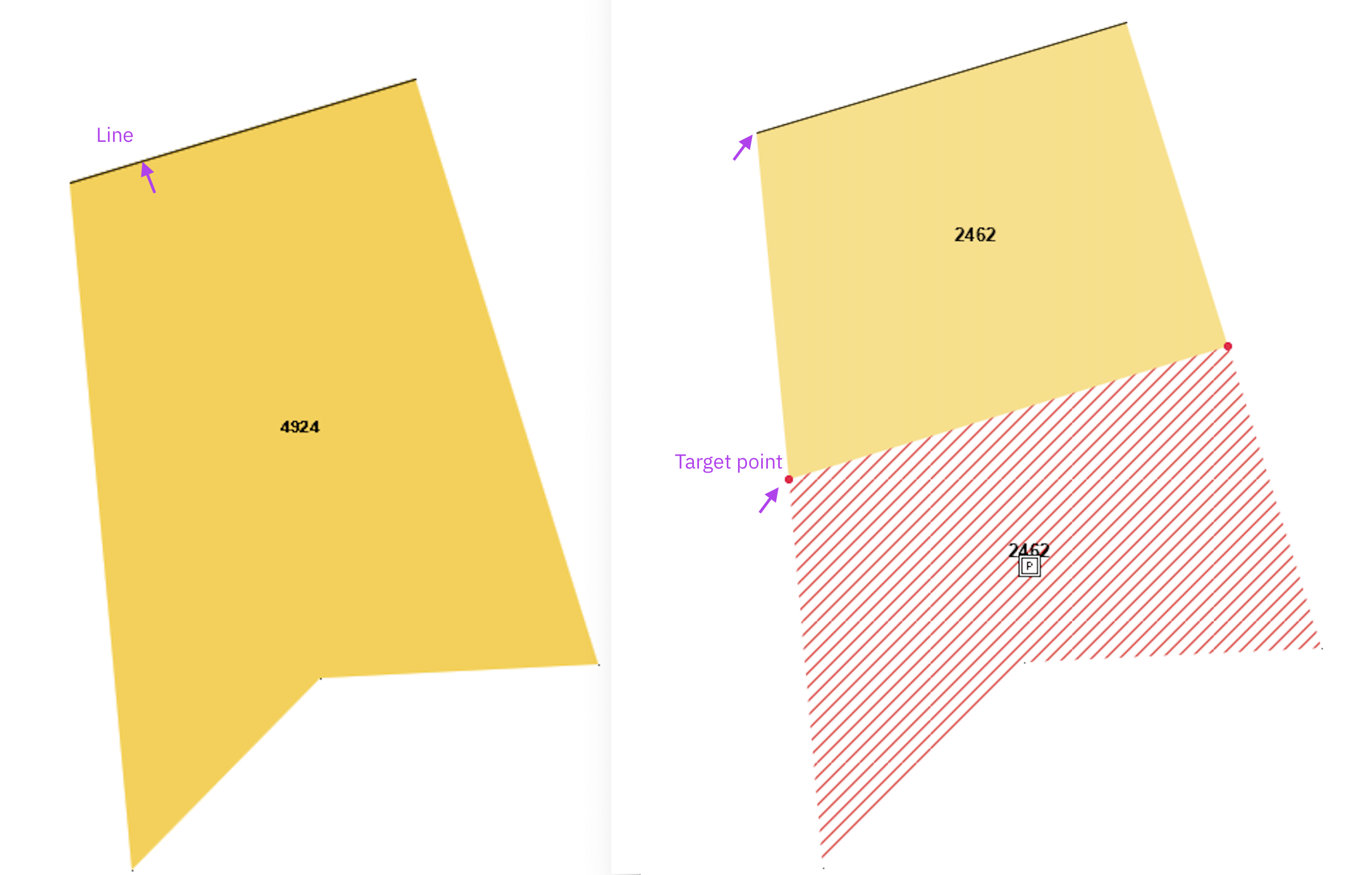
Use Create polygon by target to calculate a new boundary so that a polygon is divided into two areas with a specified surface area.
The tool calculates two target points that indicate where the new boundary should be. You then use these points to create or adjust the final polygons manually.
STEPS
- Draw or select a line along one edge of the polygon. This line defines the side from which the new boundary will be calculated parallel into the polygon.
- Select the polygon and the line.
- Go to Bonus Tools > Polygon tools > Create polygon by target.
- The dialog displays the current polygon area.
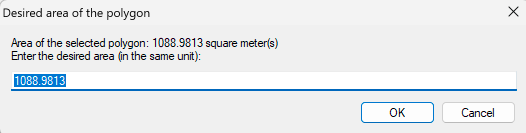
- Enter the required target area.
- For example, use your calculator to divide the displayed area by 2 to create two equal areas.
- Use a period (.) as the decimal separator.
- Click OK. Two red target points are created.
- Use these points as the reference for the new boundary. Draw two new polygons, or adjust the existing polygon with fe. Tools > Edit polygon > Move point.
- Remove the temporary target points using Bonus Tools > Polygon tools > Delete target points.
Notes
The selected line must lie on the boundary of the polygon. The tool calculates a new boundary parallel to this line inside the polygon.
The tool calculates the target location only. It does not automatically create two new polygon objects.
If no dialog appears after starting the command, verify that the polygon and boundary line are selected correctly.
RESULT
The correct position of the new boundary is calculated, allowing you to manually create two polygons with the required areas.
Was this article helpful?
That’s Great!
Thank you for your feedback
Sorry! We couldn't be helpful
Thank you for your feedback
Feedback sent
We appreciate your effort and will try to fix the article